Unlocking iOS App Freedom Without Jailbreaking

By Jeet verma Information Security Consultant, Qseap Infotech

Introduction

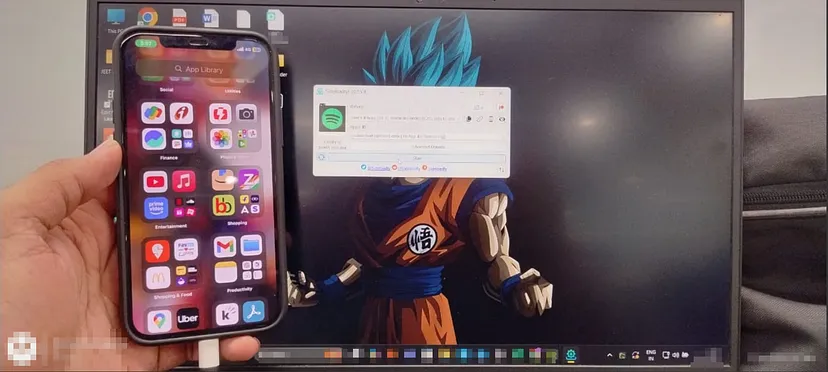
Sideloadly is a powerful tool that allows iOS users to install third-party apps outside the App Store without requiring a jailbreak. This makes it an essential solution for those looking to sideload apps that Appledoesn’t officially support. In this guide, we’ll explore what Sideloadly is, how it works, and the securityrisks to consider when using it.

What is Sideloadly?

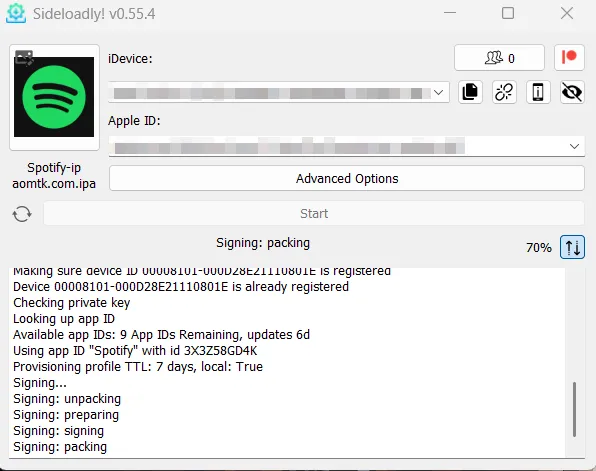
Sideloadly enables users to install IPA files (iOS apps) on iPhones and iPads without modifying the iOS system. It is compatible with Windows and macOS, providing flexibility for a wide range of users. The tool works by signing apps with an Apple ID, allowing them to be installed on a device. Free Apple IDs have a 7-day installation limit, whereas paid developer accounts offer a longer period.

Why Use Sideloadly?

No Jailbreak Needed: Install apps without compromising iOS security.
Works on Windows & macOS: Unlike some sideloading tools, Side loadly is cross-platform.
Access to Non-App Store Apps: Useful for testing and installing apps not available on the App Store.
Support for Tweaked Apps: Many users install modded or customized apps with added features.
Remote & Wi-Fi Sideloading: Provides additional flexibility for app installations.
How to Use Sideloadly
● Using Sideloadly is straightforward. Follow these steps to get started:

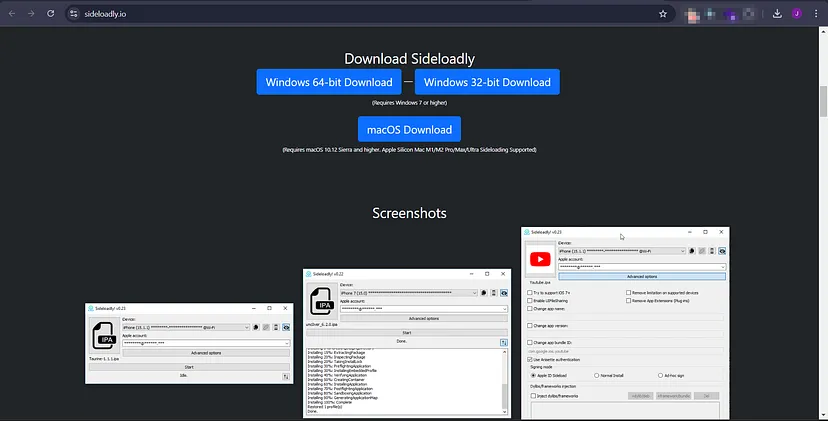
Step 1: Download Sideloadly
● Visit sideloadly.io and download the appropriate version for your operating system.

Step 2: Get the IPA File
● Download the IPA file for the app you want to install. Ensure it comes from a trusted source to avoid security risks.

Step 3: Connect Your iOS Device
● Plug your iPhone or iPad into your computer via USB or enable Wi-Fi sideloading if supported.

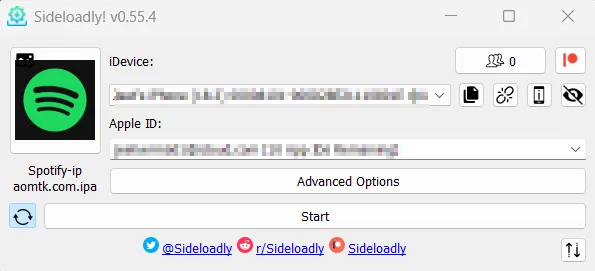
Step 4: Sign In with Your Apple ID
● Open Sideloadly and enter your Apple ID (it’s recommended to use a secondary Apple ID for added security).

Step 5: Install the App
● Click “Start” to begin the signing and installation process.
Step 6: Trust the Certificate
● On your iPhone, navigate to Settings > General > VPN & Device Management and trust the
developer profile under your Apple ID.
Step 7: Launch the App
● Once trusted, the app should open and function without any issues. Security Considerations
● While Sideloadly provides greater freedom, it also presents security risks. Here’s what to keep inmind:
1. Malware Risks
● Unverified IPA files may contain malware or spyware.Solution: Only download apps from reliable
sources and scan for potential threats.
2. Privacy Risks
● Some sideloaded apps might collect excessive data without user consent.Solution: Review app permissions and monitor network activity with security tools.
3. Certificate Revocation
● Apple may revoke sideloaded apps, causing them to stop working.
Solution: A paid Apple Developer account or tools like AltStore can help reduce frequent revocations.
4. Legal Considerations
● Sideloading may violate Apple’s policies or local laws in some regions.

Solution: Ensure compliance with regulations before sideloading apps.

Final Thoughts
Sideloadly offers a straightforward method for installing third-party apps on iOS without the need for
jailbreaking. However, users should be mindful of security risks and best practices such as using trusted
IPA sources, a secondary Apple ID, and staying informed about potential threats.


Acknowledgment
I would like to express my gratitude to Qseap Infotech Pvt Ltd, where I am currently working. Their
support has helped me grow as a cybersecurity professional, deepening my understanding of security
risks and best practices. With their guidance, I continue to learn and share knowledge to enhance digital
security.